

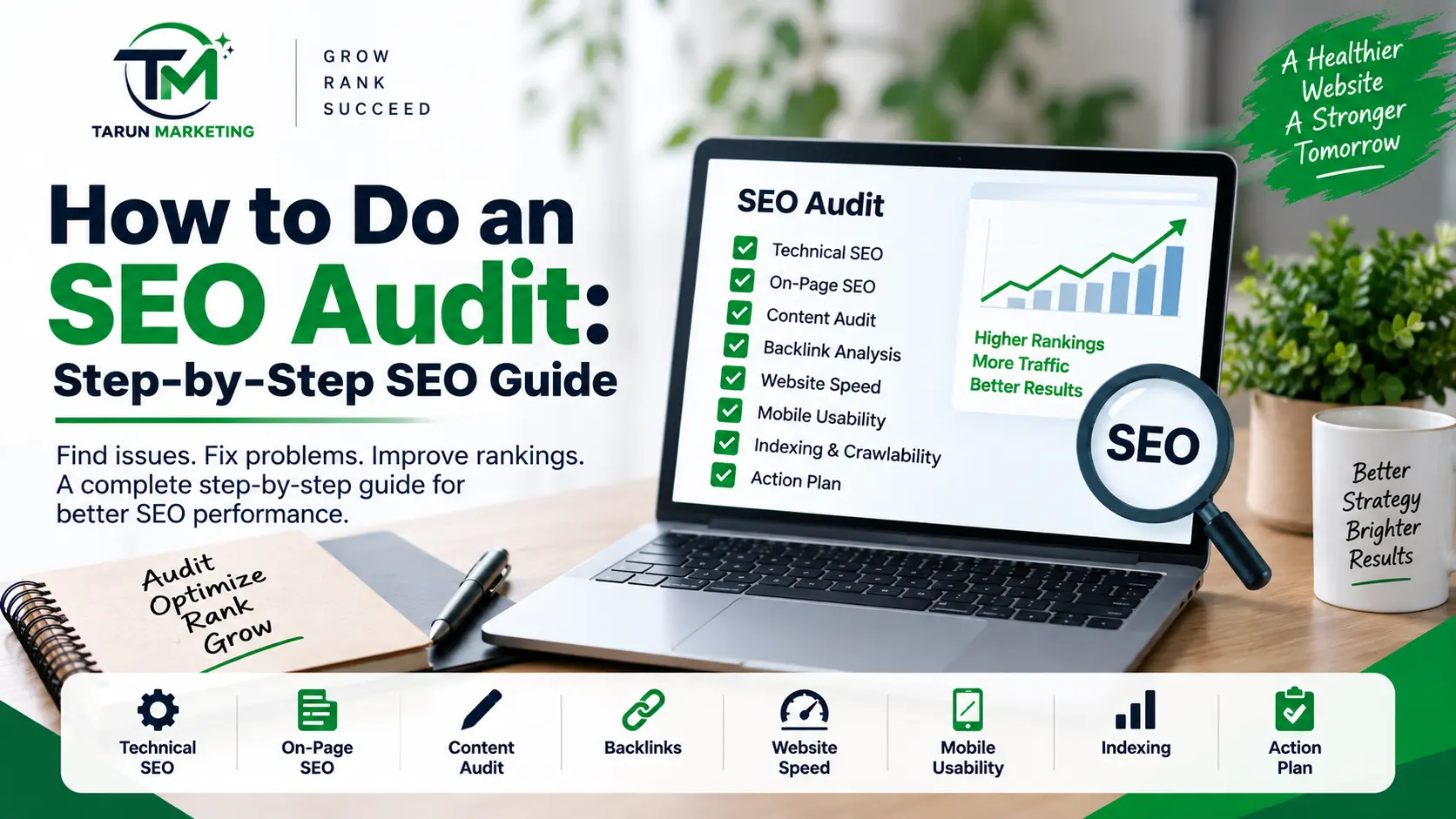
How to Do an SEO Audit: Step-by-Step SEO Guide
An SEO audit is one of the most important processes for understanding how well a website is performing in search engines. It helps identify technical problems, on-page SEO issues, content gaps, indexing problems, website speed issues, and opportunities to improve organic visibility.
If your website is not getting enough organic traffic, an SEO audit can help you understand what is preventing your pages from ranking and what you should fix first.
In this guide, we will explain how to do an SEO audit step by step, including technical SEO, on-page SEO, content, backlinks, website performance, indexing, and Google Search Console.
Tarun Marketing helps businesses improve their online presence through SEO, digital marketing, and other online marketing solutions.
What Is an SEO Audit?
An SEO audit is a detailed examination of a website to identify factors that may affect its performance in search engines.
A typical SEO website audit checks:
- Technical SEO
- Website crawling and indexing
- On-page SEO
- Keyword targeting
- Content quality
- Internal linking
- Backlinks
- Mobile usability
- Website speed
- Core Web Vitals
- Structured data
- Meta titles and descriptions
- Broken links
- Redirects
- Sitemap and robots.txt
- Google Search Console performance
The objective is not simply to find problems. A good audit should help you create a clear action plan for improving organic search performance.
Why Is an SEO Audit Important?
Search engine optimization involves many different factors. A website can have excellent content but still struggle to rank because of technical problems, poor internal linking, indexing issues, slow loading times, or incorrect keyword targeting.
An SEO audit can help you:
- Find technical SEO problems
- Identify pages that are not indexed
- Improve website crawlability
- Discover on-page SEO issues
- Find content gaps
- Improve internal linking
- Identify keyword opportunities
- Improve website speed
- Check mobile usability
- Analyze backlinks
- Improve existing rankings
- Prioritize SEO tasks
Regular SEO audits are particularly useful after a website redesign, migration, major content update, or significant change in organic traffic.
How to Do an SEO Audit Step by Step
1. Check Google Search Console
The first step in an SEO audit should be checking your website’s actual search performance.
Google Search Console can provide valuable information about:
- Search queries
- Impressions
- Clicks
- CTR
- Average position
- Indexed pages
- Page indexing problems
- Sitemaps
- Core Web Vitals
- Manual actions
- Security issues
Start by looking at the Performance report.
Identify keywords that are receiving impressions but very few clicks. These can be excellent optimization opportunities.
For example, if a page is ranking around positions 8–20 for an important keyword, improving its content, title, internal links, and search intent alignment may help improve its visibility.
2. Check Website Indexing
A search engine cannot rank a page if it cannot properly crawl and index it.
Check whether your important pages are indexed.
Look for:
- Pages excluded from indexing
- Pages blocked by robots.txt
- Pages with
noindex - Duplicate pages
- Canonical issues
- Server errors
- Redirect problems
You can also use the URL Inspection tool in Google Search Console to check individual URLs.
Make sure your important pages are:
Crawlable → Indexable → Eligible to appear in search results
3. Review Your Robots.txt File
The robots.txt file provides instructions to search engine crawlers about which areas of your website they can or cannot access.
A basic robots.txt file may look like:
User-agent: *
Allow: /

Sitemap: https://example.com/sitemap_index.xml
However, every website has different requirements.
During an SEO audit, check whether important resources or pages are accidentally blocked.
Be particularly careful when changing robots.txt because an incorrect directive can prevent search engines from crawling important sections of your website.
4. Check Your XML Sitemap
Your XML sitemap helps search engines discover important URLs on your website.
Check that:
- The sitemap exists
- It is accessible
- Important pages are included
- Unwanted URLs are not included
- Redirected URLs are removed
- 404 pages are removed
- Canonical URLs are used where appropriate
Submit the sitemap through Google Search Console.
For WordPress websites using SEO plugins such as Rank Math, Yoast SEO, or similar tools, the sitemap is usually generated automatically.
5. Audit Your Website’s Technical SEO
Technical SEO is an important part of an SEO audit.
Check for:
HTTPS
Make sure your website uses HTTPS and that HTTP versions properly redirect to HTTPS.
Mobile Friendliness
Your website should work properly on smartphones and tablets.
Check:
- Text size
- Buttons
- Navigation
- Images
- Forms
- Page layout
Website Speed
Slow websites can create a poor user experience.
Check:
- Largest Contentful Paint
- Interaction to Next Paint
- Cumulative Layout Shift
- Page loading speed
- Image optimization
- JavaScript
- CSS
- Server response time
Broken Links
Find internal links pointing to:
- 404 pages
- Deleted pages
- Incorrect URLs
Replace or remove broken links where appropriate.
Redirects
Check for unnecessary redirect chains and loops.
Ideally, redirects should lead users and search engines directly to the final destination.
If you need professional help with website optimization, explore our digital marketing services to improve your online visibility and search performance.
6. Audit Your On-Page SEO
Next, examine the SEO elements on your individual pages.
Check the following:
SEO Title
Each important page should have a unique and descriptive title.
For example:
Weak:
Home
Better:
SEO Services in Kapurthala | Tarun Marketing
Meta Description
Write a useful description that accurately explains what the page offers.
Heading Structure
Use a logical hierarchy:
- H1
- H2
- H3
Generally, the page should have one clear primary H1 describing the main topic.
URL Structure
Keep URLs short, descriptive, and relevant.
For example:
/how-to-do-an-seo-audit/
is clearer than:
/page?id=12345
7. Check Keyword Targeting
One of the most important parts of an SEO audit is understanding which keywords each page is targeting.
Avoid creating multiple pages that target exactly the same search intent unless there is a genuine reason.
For example, these keywords can often be covered within one comprehensive article:
- how to do an SEO audit
- how to perform an SEO audit
- how to conduct an SEO audit
- how to do SEO audit
- how to audit a website for SEO
- SEO audit process
- SEO audit checklist
Instead of creating six thin articles, you can create one authoritative guide covering the complete topic.
This is especially useful when the queries have the same search intent.
8. Analyze Your Content
Content should satisfy the reason someone searched for the topic.
Ask:
- Does the page answer the main question?
- Is the information accurate?
- Is the content easy to understand?
- Does it provide useful examples?
- Does it cover important subtopics?
- Is the content unnecessarily repetitive?
- Does it provide something useful beyond generic information?
Also identify:
Thin Content
Pages with very little useful information may need improvement, consolidation, or removal depending on their purpose.
Outdated Content
Update old statistics, screenshots, examples, links, and recommendations where appropriate.
Duplicate Content
Look for pages with substantially similar content or overlapping search intent.
9. Check Internal Linking
Internal links connect pages on your website.
They help users navigate your website and help search engines discover relationships between pages.
For example, this article about SEO audits could link to:
- SEO Services
- Local SEO Services
- Technical SEO
- Google Ads Services
- Website Design Services
You should also look for important pages that currently receive very few internal links.
Create logical connections between related content.
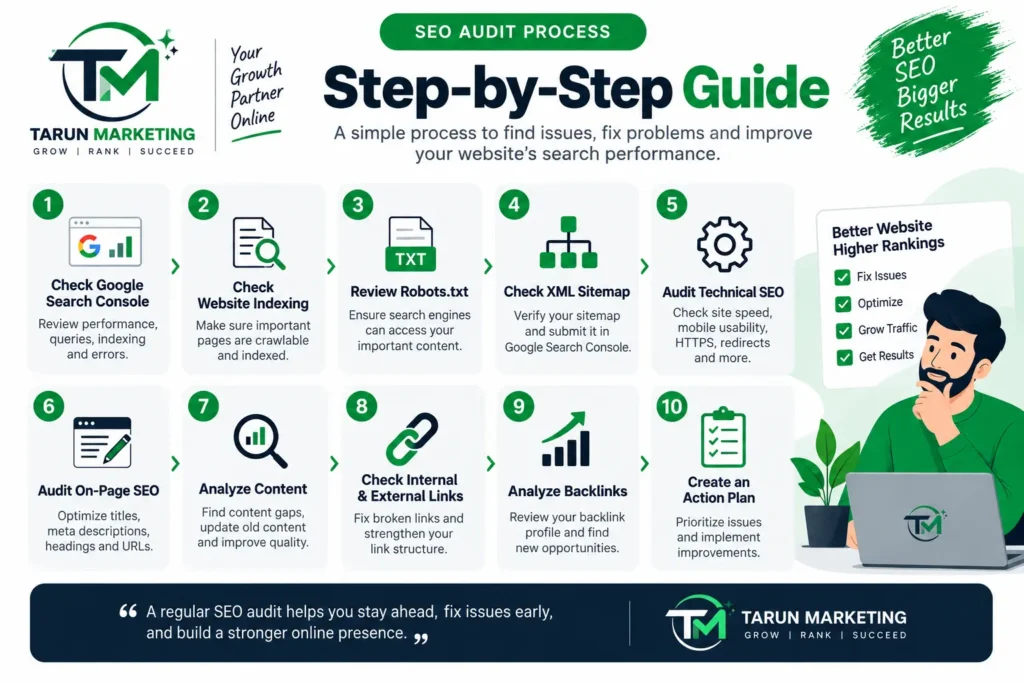
10. Audit Your Backlinks
Backlinks are links from other websites pointing to your website.
During a backlink audit, look at:
- Number of referring domains
- Relevant websites
- High-quality backlinks
- Lost backlinks
- Anchor text
- Potentially harmful or unnatural links
Don’t focus only on the number of backlinks.
A smaller number of relevant, trustworthy links can be more useful than a large number of low-quality links.
Your objective should be to build a natural backlink profile through useful content, relationships, digital PR, partnerships, citations, and other legitimate methods.
11. Check Core Web Vitals
Core Web Vitals measure important aspects of page experience.
The key metrics include:
- LCP — Largest Contentful Paint
- INP — Interaction to Next Paint
- CLS — Cumulative Layout Shift
Look for pages with poor performance and investigate the underlying causes.
Common causes include:
- Large images
- Unoptimized scripts
- Excessive third-party resources
- Slow hosting
- Poorly optimized themes
- Too many plugins
- Render-blocking resources
12. Check Structured Data
Structured data helps search engines understand certain types of content.
Depending on your website, you may use structured data for:
- Articles
- Products
- Organizations
- Local businesses
- Breadcrumbs
- FAQs
- Events
- Reviews
Make sure structured data accurately represents the visible content on the page and does not contain misleading information.
13. Analyze Your Google Search Queries
This is one of the most valuable parts of an SEO audit.
Go to Google Search Console and review:
Queries → Impressions → Clicks → CTR → Position
Look for keywords with:
High impressions + low position
These indicate that Google is already showing your website, but visibility is weak.
High impressions + positions 8–20
These can be useful pages to optimize because they are already relatively close to stronger visibility.
High impressions + low CTR
Review the page title and meta description and check whether they accurately communicate the page’s value.
Queries you didn’t intentionally target
These can reveal new content opportunities.
14. Find Content Gaps
A content gap exists when your website does not adequately cover an important topic that is relevant to your audience.
For example, if your website offers SEO services but has very little educational content around:
- SEO audit
- Technical SEO
- Keyword research
- Local SEO
- Google Search Console
- On-page SEO
you could create useful educational resources around those subjects.
Build content based on actual user needs and search intent, rather than creating articles simply to increase the number of pages on your website.
15. Create an SEO Audit Action Plan
Finding problems is only half of the job.
After completing your audit, create a priority list.
High Priority
Fix issues that can significantly affect crawling, indexing, or important pages.
Examples:
- Important pages blocked from indexing
- Major technical errors
- Incorrect canonicalization
- Website migration problems
- Important pages returning errors
Medium Priority
Improve pages that already have some search visibility.
Examples:
- Pages ranking between positions 8–30
- Weak internal linking
- Poor titles
- Content gaps
- Underdeveloped pages
Low Priority
Handle improvements that are useful but unlikely to have an immediate major impact.
Examples:
- Minor metadata improvements
- Small content refinements
- Non-critical technical enhancements
SEO Audit Checklist
Use this checklist when auditing a website:
| SEO Area | What to Check |
|---|---|
| Google Search Console | Queries, clicks, impressions, CTR, position |
| Indexing | Important pages indexed |
| Robots.txt | Important content not blocked |
| Sitemap | Correct URLs included |
| HTTPS | Secure website |
| Mobile | Mobile-friendly experience |
| Speed | Page performance |
| Core Web Vitals | LCP, INP, CLS |
| Titles | Unique and relevant |
| Meta descriptions | Useful and descriptive |
| Headings | Logical H1/H2/H3 structure |
| URLs | Clean and descriptive |
| Content | Helpful and relevant |
| Keywords | Correct search intent |
| Internal links | Strong site structure |
| Broken links | No important broken links |
| Redirects | No unnecessary chains/loops |
| Canonicals | Correct canonical URLs |
| Structured data | Accurate implementation |
| Backlinks | Relevant and quality links |
| Content gaps | Missing useful topics |
SEO Audit Tools You Can Use
You don’t need to rely on one tool. Different tools provide different information.
Useful SEO audit tools include:
- Google Search Console
- Google Analytics
- Google PageSpeed Insights
- Screaming Frog
- Ahrefs
- Semrush
- Sitebulb
- Rank Math
- Google Rich Results Test
For smaller websites, you can often start with Google Search Console + PageSpeed Insights + a website crawler before investing in multiple paid platforms.
How Often Should You Perform an SEO Audit?
There isn’t one fixed schedule for every website.
A small website may benefit from a comprehensive audit every few months, while larger websites, ecommerce websites, and frequently updated websites may need more frequent monitoring.
You should also consider an SEO audit after:
- Website redesign
- Domain migration
- HTTPS migration
- Major URL changes
- Large content updates
- Significant traffic drops
- Google algorithm changes
- Major technical changes
Regular monitoring is important because SEO problems can appear between full audits.
Final Thoughts
Learning how to do an SEO audit gives you a systematic way to identify problems and opportunities across your website.
A good SEO audit should examine more than keywords. It should cover technical SEO, indexing, content, on-page optimization, internal links, backlinks, website performance, structured data, and search performance.
Most importantly, don’t try to fix everything at once.
Use your audit data to identify the issues that can make the biggest difference, prioritize them, implement the improvements, and then monitor your results in Google Search Console.
An SEO audit is not simply a report of problems. It should become a practical roadmap for improving your website’s organic search visibility.
Need help improving your website’s SEO? Contact Tarun Marketing for professional SEO support and guidance.
Frequently Asked Questions
What is an SEO audit?
An SEO audit is a detailed review of a website to identify technical, content, on-page, indexing, performance, and authority-related issues that may affect its search engine visibility.
How do I perform an SEO audit?
Start with Google Search Console, then review indexing, technical SEO, website speed, on-page SEO, content, keywords, internal links, backlinks, structured data, and Core Web Vitals.
How often should I conduct an SEO audit?
The ideal frequency depends on the website. Regular monitoring should be combined with comprehensive audits, particularly after major technical or structural changes.
What is the best SEO audit tool?
There is no single tool that provides everything. Google Search Console is essential for search performance and indexing, while crawlers and SEO platforms can provide additional technical and competitive data.
Can I do an SEO audit myself?
Yes. Website owners can perform a basic SEO audit using tools such as Google Search Console and PageSpeed Insights. Larger or technically complex websites may benefit from a more advanced audit.
How long does an SEO audit take?
The time depends on website size and complexity. A small website can be reviewed relatively quickly, while a large ecommerce or enterprise website may require significantly more analysis.
