

5 Google Ads Mistakes That Waste Your Marketing Budget
Running paid campaigns can feel like throwing money into a black hole if you’re not careful. In fact, most businesses unknowingly make Google Ads mistakes that quietly eat away at their marketing budget every single day. The good news? These issues are easy to spot once you know what to look for, and even easier to fix.
In this post, we’ll walk through five of the most common Google Ads mistakes advertisers make, why they hurt your return on investment, and simple steps you can take to correct them. Whether you’re a small business owner managing your own account or a marketer overseeing multiple campaigns, understanding these mistakes will help you spend smarter, not harder.
Google Ads Mistakes #1: Ignoring Negative Keywords
One of the most overlooked Google Ads mistakes is failing to use negative keywords. Negative keywords tell Google which searches you don’t want your ad to show up for. Without them, your ads can appear for irrelevant searches that will never convert, and you end up paying for clicks that go nowhere.
For example, if you sell premium leather handbags, you probably don’t want to show up for searches like “cheap handbags” or “handbag repair.” Every click from an unqualified searcher is wasted spend.
How to fix it:
- Review your search terms report weekly.
- Add irrelevant queries to your negative keyword list.
- Use broad match negatives carefully to avoid blocking good traffic.
Skipping this step is one of the fastest ways to drain your budget without realizing it. Many advertisers set up a campaign once, add a handful of keywords, and never revisit the negative keyword list again. Over time, search behavior shifts and new irrelevant queries start triggering your ads. A quarterly deep review, combined with weekly quick checks, keeps this list current and your spend focused on searches that actually matter to your business.
Google Ads Mistakes #2: Poor Ad Copy and Weak Calls to Action
Another common issue among these Google Ads mistakes is writing generic or unclear ad copy. If your headline doesn’t grab attention or your description doesn’t tell people what to do next, your click-through rate suffers, and so does your Quality Score.
Google rewards ads that are relevant and engaging with lower costs per click. Weak, vague copy does the opposite: it wastes impressions and pushes your cost per acquisition higher.
How to fix it:
- Include your focus keyword naturally in the headline.
- Add a clear call to action like “Shop Now” or “Get a Free Quote.”
- Test multiple ad variations to see what resonates with your audience.
- Highlight a specific benefit or offer, not just your brand name.
These kinds of Google Ads mistakes are easy to overlook because the ad still technically “runs,” it just quietly underperforms. Small tweaks to your messaging can significantly improve performance without increasing spend. Consider using ad extensions such as sitelinks, callouts, and structured snippets as well. They give searchers more reasons to click and provide extra real estate on the results page, which can push competitor ads further down and improve your overall click-through rate.
Google Ads Mistakes #3: Sending Traffic to the Wrong Landing Page
Even a perfectly optimized ad can fail if it leads to the wrong page. This is one of the more costly Google Ads mistakes because you’re paying for a click, only to lose the visitor the moment they land on a confusing or irrelevant page.
If someone searches for “affordable running shoes” and lands on your homepage instead of a dedicated running shoes category page, they’re likely to leave immediately. That’s a wasted click and a missed conversion opportunity.
How to fix it:
- Match your landing page content directly to the ad’s promise.
- Keep the page focused with a single, clear call to action.
- Make sure the page loads quickly and works well on mobile devices.
- Remove distracting navigation elements that pull visitors away from converting.
A tightly aligned ad-to-landing-page experience is one of the easiest ways to boost conversions and lower wasted spend. It also improves your Quality Score, which can lower your cost per click over time, meaning better alignment doesn’t just help conversions, it helps your budget stretch further too.
Google Ads Mistakes #4: Not Tracking Conversions Properly
You can’t fix what you can’t measure. Failing to set up proper conversion tracking is one of the Google Ads mistakes that quietly costs businesses thousands of dollars because they simply don’t know which campaigns are working.
Without accurate tracking, you might keep funding underperforming campaigns while pausing ones that actually drive sales, just because the data isn’t telling the real story.
How to fix it:
- Set up conversion tracking through Google Ads or Google Analytics before launching any campaign.
- Track meaningful actions like purchases, form submissions, or phone calls, not just clicks.
- Regularly audit your tracking setup to catch broken tags or duplicate conversions.
- Use this data to shift budget toward your best-performing keywords and ads.
Accurate tracking turns your campaign from a guessing game into a data-driven strategy. It also makes it much easier to justify your marketing spend to stakeholders, since you can point to concrete numbers rather than vague impressions or click counts that don’t reflect actual business results.
Google Ads Mistakes #5: Setting and Forgetting Your Campaigns
Google Ads is not a “set it and forget it” tool. One of the biggest Google Ads mistakes is launching a campaign and letting it run for months without any review or optimization.
Search trends shift, competitors adjust their bids, and audience behavior changes over time. A campaign that performed well last quarter might be quietly overspending today.
How to fix it:
- Review performance metrics at least once a week.
- Adjust bids based on which keywords and demographics convert best.
- Pause underperforming ads and scale up the ones that work.
- Test new audiences, ad extensions, and bidding strategies regularly.
This is one of those Google Ads mistakes that costs more the longer it goes unnoticed. Consistent monitoring ensures your budget is always working toward your best results, not being wasted on outdated settings. Even setting aside just thirty minutes a week for a quick performance check can help you catch problems early, before they turn into a significant drain on your budget.
Final Thoughts
Avoiding these common Google Ads mistakes doesn’t require a huge budget or advanced expertise, just consistent attention and a willingness to test and improve. By using negative keywords, writing compelling ad copy, aligning landing pages, tracking conversions accurately, and regularly optimizing your campaigns, you can stretch your marketing budget much further.
The businesses that get the best results from Google Ads aren’t necessarily the ones spending the most. They’re the ones who avoid these costly errors and treat their campaigns as an ongoing process rather than a one-time setup. Start reviewing your account today, and you may be surprised how much wasted spend you can recover.
Learn more about Google Ads from Google’s official documentation.
Frequently Asked Questions About Google Ads Mistakes
What are the most common Google Ads mistakes small businesses make?
The most common Google Ads mistakes for small businesses are skipping negative keywords, writing weak ad copy, and not tracking conversions. Tighter budgets mean these errors show up as wasted spend faster, so catching them early matters.
How do I know if I’m making Google Ads mistakes?
Warning signs include a high click-through rate paired with low conversions, a rising cost per click with no change in results, or ad spend that keeps climbing without a matching rise in sales. If any of this sounds familiar, it’s worth auditing your account for the mistakes covered in this guide.
Can these mistakes hurt my Quality Score?
Yes. Poor ad relevance, weak landing page experience, and low expected click-through rate all factor into Quality Score, which directly affects your cost per click. Fixing these issues can lower your costs even without changing your bids.
How often should I review my campaigns to avoid them?
A weekly check-in usually catches most issues, with a deeper monthly review of search terms, landing pages, and conversion data. Waiting longer than a month is often when small problems turn into significant budget losses.
Do I need an agency to fix Google Ads mistakes, or can I do it myself?
Many fixes, like adding negative keywords or improving ad copy, can be done in a couple of hours a week. More complex work, such as advanced tracking or bid strategy testing, may benefit from professional help if you’re short on time or experience.
Need professional campaign management? Check out our Google Ads Services.
Quick Recap: Top Google Ads Mistakes to Avoid
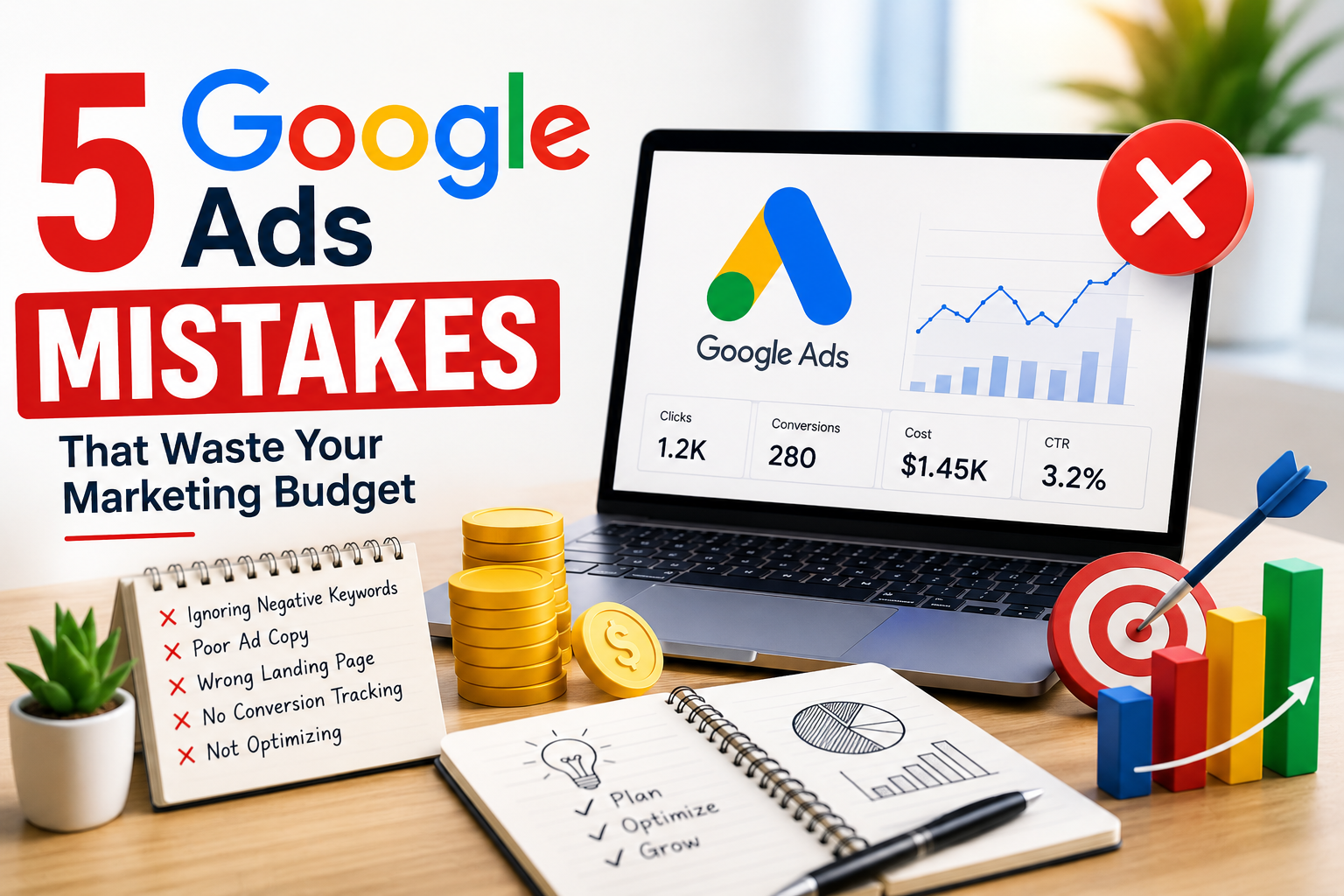
- Ignoring negative keywords
- Writing poor ad copy with weak calls to action
- Sending traffic to irrelevant landing pages
- Not tracking conversions properly
- Setting campaigns and forgetting about them
Fixing even one of these issues can make a noticeable difference in your return on ad spend. Fixing all five could transform how your business approaches paid advertising altogether.
