

Website Maintenance Checklist: 12 Proven Checks
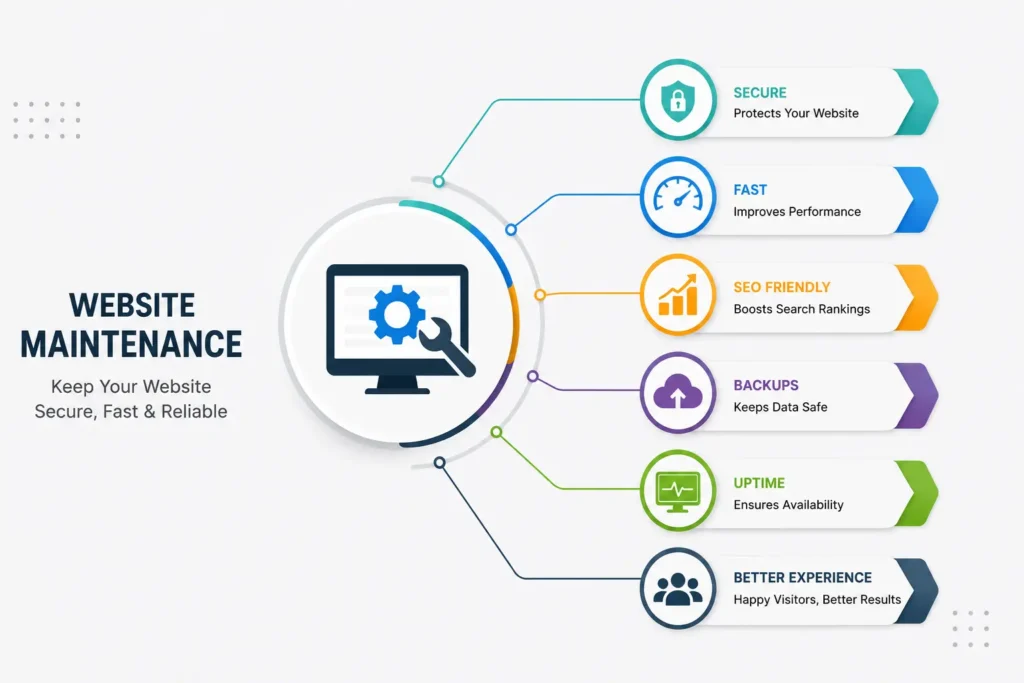
Your website is often the first impression customers have of your business. While creating a professional website is important, keeping it updated is equally essential. A Website Maintenance Checklist helps ensure your site remains secure, fast, user-friendly, and fully functional.
Ignoring regular maintenance can lead to broken pages, security issues, slower loading times, and poor search engine rankings. Whether you own a small business website or an eCommerce store, following a structured maintenance routine can prevent costly problems and improve user experience.
In this guide, you’ll learn 12 essential checks every business should include in its Website Maintenance Checklist to keep a website performing at its best.
Why does website maintenance matter?
Regular maintenance keeps your website running smoothly and helps visitors trust your business.
Some major benefits include:
- Better website performance
- Improved security
- Faster loading speed
- Higher Google rankings
- Better user experience
- Fewer technical issues
- Increased customer trust
- Longer website lifespan
A proper website maintenance routine also helps identify problems before they affect your visitors or your business.
1. Check Website Performance
The first step in any Website Maintenance Checklist is checking your website’s overall performance.
Review:
- Page loading speed
- Broken layouts
- Slow pages
- Server response time
A fast website improves both user experience and SEO performance. You can measure your site’s speed using Google PageSpeed Insights.
2. Update Website Software
Keeping your website software updated is essential for security and performance.
Make sure you update:
- CMS (WordPress or other platforms)
- Themes
- Plugins
- Extensions
Outdated software often creates security vulnerabilities that hackers can exploit.
3. Test Website Security
Website security should never be ignored.
Review the following regularly:
- SSL certificate
- HTTPS status
- Login security
- Malware scans
- Firewall protection
A secure website protects both your business and your visitors.
4. Fix Broken Links
Broken links create a poor browsing experience and may affect search rankings.
Check for:
- Broken internal links
- Broken external links
- Missing images
- 404 error pages
Repairing these issues helps visitors navigate your website without frustration.
5. Backup Your Website
Backups are one of the most important parts of a Website Maintenance Checklist.
Always maintain recent backups of:
- Website files
- Images
- Database
- Customer information (where applicable)
Regular backups allow quick recovery if unexpected issues occur.
6. Optimize Website Speed
Visitors expect websites to load quickly.
Improve speed by:
- Compressing images
- Removing unnecessary plugins
- Enabling browser caching
- Optimizing CSS and JavaScript
- Choosing reliable hosting
A faster website increases engagement and reduces bounce rates.
If your website requires technical improvements or regular maintenance, explore our Website Development Services to keep your website secure, fast, and optimized.
7. Review Content Regularly
Fresh content improves credibility and SEO.
Check your website for:
- Outdated information
- Old pricing
- Broken images
- Expired offers
- Grammar mistakes
Updating content keeps your business information accurate.
8. Test Mobile Responsiveness
Most visitors browse websites on mobile devices.
Ensure your website:
- Displays correctly on all screen sizes
- Has readable text
- Uses clickable buttons
- Loads quickly on mobile
- Offers easy navigation
A mobile-friendly website improves customer satisfaction and search rankings.
9. Check SEO Performance
A well-maintained website should also perform well in search engines. As part of your Website Maintenance Checklist, review your SEO regularly to ensure your website remains visible to potential customers.
Check the following:
- Title tags
- Meta descriptions
- Image alt text
- Internal links
- Broken links
- Keyword optimization
- XML sitemap
Regular SEO reviews help improve rankings and attract more organic traffic.
10. Review Contact Forms
Your contact forms should always work properly. If customers cannot reach you, you may lose valuable business opportunities.
Test every form to make sure:
- Messages are delivered successfully
- Required fields work correctly
- Spam protection is enabled
- Confirmation messages appear after submission
A working contact form builds trust and improves customer communication.
11. Monitor Website Analytics
Website analytics provide valuable insights into how visitors interact with your website.
Track important metrics such as:
- Website traffic
- Bounce rate
- Most visited pages
- Conversion rate
- Average session duration
- Traffic sources
Monitoring these reports helps you identify what is working and where improvements are needed.
12. Test Overall User Experience
The final step in your website maintenance routine is reviewing your website from a visitor’s perspective.
Check whether:
- Navigation is simple
- Pages load correctly
- Buttons are clickable
- Images display properly
- Content is easy to read
- Important information is easy to find
A smooth user experience encourages visitors to stay longer and increases the chances of converting them into customers.
Website Maintenance Checklist
Before finishing your website review, make sure you have completed the following:
- Website performance checked
- CMS, themes, and plugins updated
- Website security tested
- Broken links fixed
- Website backup completed
- Website speed optimized
- Content reviewed and updated
- Mobile responsiveness tested
- SEO performance reviewed
- Contact forms tested
- Website analytics monitored
- User experience evaluated
Following this Website Maintenance Checklist regularly helps keep your website secure, fast, and optimized for both visitors and search engines.
Common Website Maintenance Mistakes to Avoid
Many businesses build a website but forget to maintain it consistently. Avoid these common mistakes:
- Ignoring software updates
- Skipping website backups
- Leaving broken links unfixed
- Using outdated content
- Ignoring mobile performance
- Forgetting to test contact forms
- Not monitoring website analytics
- Overlooking website security
Avoiding these mistakes will help your website remain reliable and professional.
Conclusion
Keeping a website updated is not a one-time task.Following this Website Maintenance Checklist every month helps businesses keep their websites secure, reliable, and ready for long-term growth.Routine maintenance also improves search engine rankings, enhances user experience, and reduces the risk of technical issues.
By completing these 12 essential checks, you can protect your investment, improve website performance, and create a better experience for every visitor. Whether you manage a business website, an online store, or a company portfolio, consistent website maintenance is the key to long-term success.
Regular website care and a Website Maintenance Checklist help businesses maintain consistent performance and reduce the chances of unexpected technical issues.Scheduling routine updates, reviewing security settings, monitoring performance, and checking user experience can help your website stay reliable, professional, and ready to support your business goals over the long term.
Frequently Asked Questions (FAQs)
1. What is a Website Maintenance Checklist?
A Website Maintenance Checklist is a list of regular tasks that help keep a website secure, updated, fast, and fully functional.
2. How often should website maintenance be performed?
Basic maintenance should be carried out every month, while security checks, backups, and performance monitoring should be done more frequently depending on your website’s size and traffic.
3. Why is website maintenance important?
Regular website maintenance improves security, increases website speed, enhances user experience, supports better SEO performance, and reduces the risk of technical issues.
4. Can small businesses maintain their own websites?
Yes. Small businesses can perform basic maintenance tasks such as updating content, checking broken links, reviewing SEO, testing forms, and creating backups. For advanced technical issues, professional assistance may be beneficial.
